
Friendship Bread
The following instructions are
for making a wonderful bread from the bag starter dough given to you by a
friend. It is important you follow the
schedule. The day the dough is separated
is day ONE
Do not refrigerate leave at room temperature.
_______________ Day 1 do nothing (let air out slightly if bag is about to pop)
_______________ Day 2 mush bag 1-2 times (let air out slightly if bag is about to pop)
_______________ Day 3 mush bag 1-2 times (let air out slightly if bag is about to pop)
_______________ Day 4 mush bag 1-2 times (let air out slightly if bag is about to pop)
_______________ Day 5 mush bag 1-2 times (let air out slightly if bag is about to pop)
_______________ Day 6 Add directly into your bag 1 cup of FLOUR,
MILK, AND SUGAR
_______________ Day 7 Mush bag and let out air 2 times a day
_______________ Day 8 Mush bag and let out air 2 times a day
_______________ Day 9 Mush bag and let out air 2 times a day
_______________ Day 10 Add directly into your bag 1 cup each of FLOUR,
MILK, AND SUGAR
(batter will be lumpy)
Pour batter
from your bag into a large plastic or glass bowl. Using a plastic/glass measuring cup, fill 4
individual gallon ziplock baggies, with 1 cup of batter each. Seal these bags and set aside. You should have approximately 1 cup of batter
(or less) left in your bowl. Add the following
ingredients in your bowl:
1 cup of oil
(vegetable is best) ½ cup of
whole milk
3 eggs 1 tsp. vanilla
__________________________________________________________________________________________________________________
Mix together
with a wooden or plastic spoon and add to the above mixture:
2 cups flour 1½ teaspoon baking powder
½ tsp. salt 1 cup sugar
1 tsp. baking soda
1 large box
of instant pudding (chocolate, banana, vanilla, butterscotch)
You can add
1 cup of nuts chopped, coconut, chocolate chips, crushed peppermint etc.
Mix
well. Grease 2 large loaf pans, 24
muffin tins, Bundt pan or mini loaf pans.
I use
chocolate pudding and chocolate chips with nuts, just be creative and have fun
.....
LOAF PANS
(LARGE) 325° For a good hour
MUFFIN
TINS 325° For 30 minutes
Remember you can freeze the starters and when you defrost
It is day 1 or use them to bake.
You can give a starter bag as a gift with these
instructions to carry on a tradition!
If you don't have a starter anymore you can make another
one with the recipe below:
Ingredients
¼ cup of water (approx. 110°) 1 package of dry yeast (2¼ tsp.)
1 cup all-purpose flour 1
cup granulated sugar
1 cup whole
milk
Mix
together in a ziplock bag and start counting as day 1. Follow directions from
the beginning of this recipe.
Enjoy
and make everybody's taste buds happy!
SueR 2021



 .
.


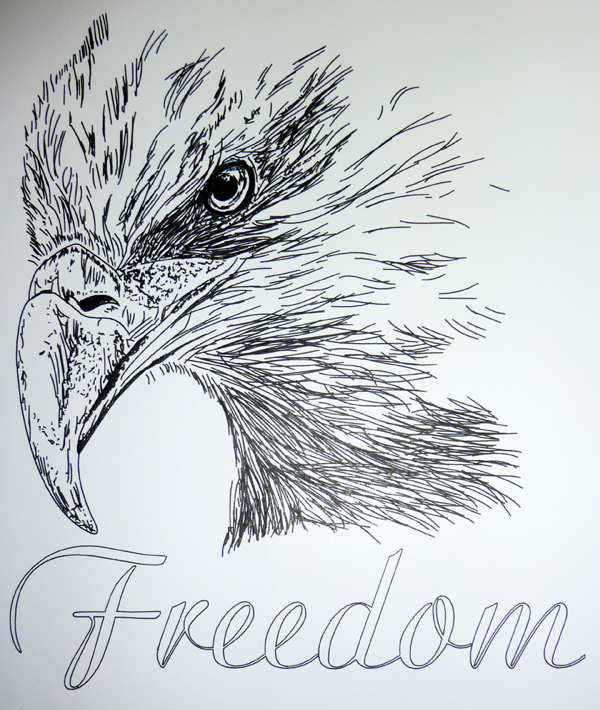
 button for the Silhouette Cameo™...no more having to email me! This Pen Tool will work in the Silhouette Cameo™, Silhouette SD™, Craft Robo™ and the Wishblade™. The HotPaws© Pen Tool is molded by me out of a lightweight plastic instead of a heavier aluminium. The Silhouette™ machines are a very detail oriented machine and the heavier the tool you put into the clamp holder the more stress you can put on the clamp mechanism every time it raises and lowers for pen work. This Pen Tool will hold the same size pens as my original Pen Tool. The only difference is the outer diameter has been lathed down to fit these new machines perfectly! Some examples of the pens you can use are: